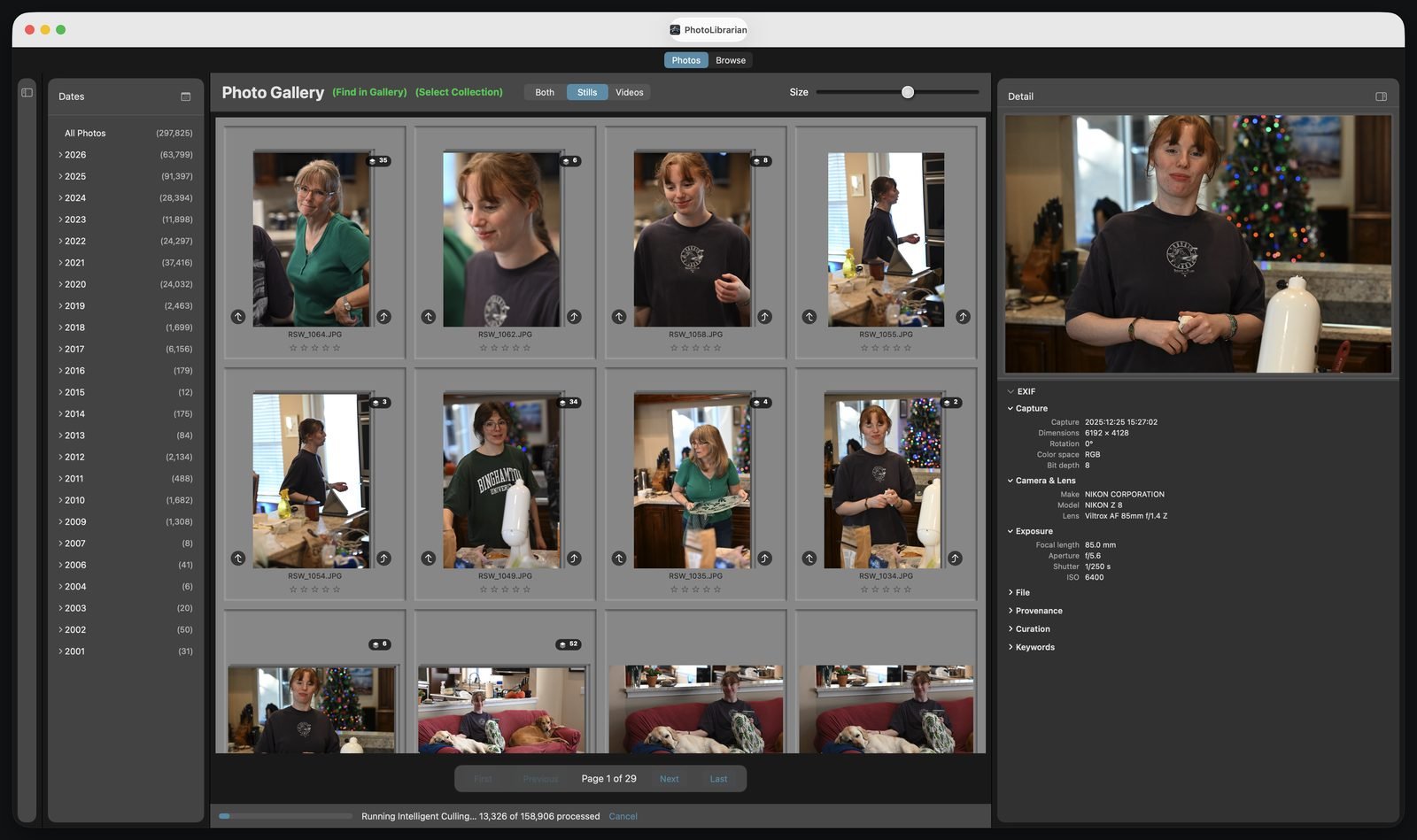
Bring every photograph you own into one place — without moving a single file.
A thousand photographs or several million: PhotoLibrarian finds them wherever they live — external drives, NAS, Apple Photos, Lightroom — organizes them, and puts the one you're looking for at your fingertips in seconds. Designed by a photographer, for photographers.
“In the last 3 months” queries that stay correct forever
Focus quality, face quality, eyes-open — searchable
Save any search; run it later with a double-click
Copies your way
Consolidate to one clean, date-organized destination
De-duplicated — or with every duplicate kept. Your call
Full resolution, resized, JPEG, TIFF, or true DNG from RAW
Terabyte-tested zips; copies that outpace rsync
Engineered to never overwrite a file
Edits in a pinch
Healing brush powered by on-device machine learning
Crop & straighten with aspect presets
Tone, color, and three-way grading wheels
AI denoise, judged in a true 1:1 loupe
Every edit saves as a new file — originals untouched
Protects everything
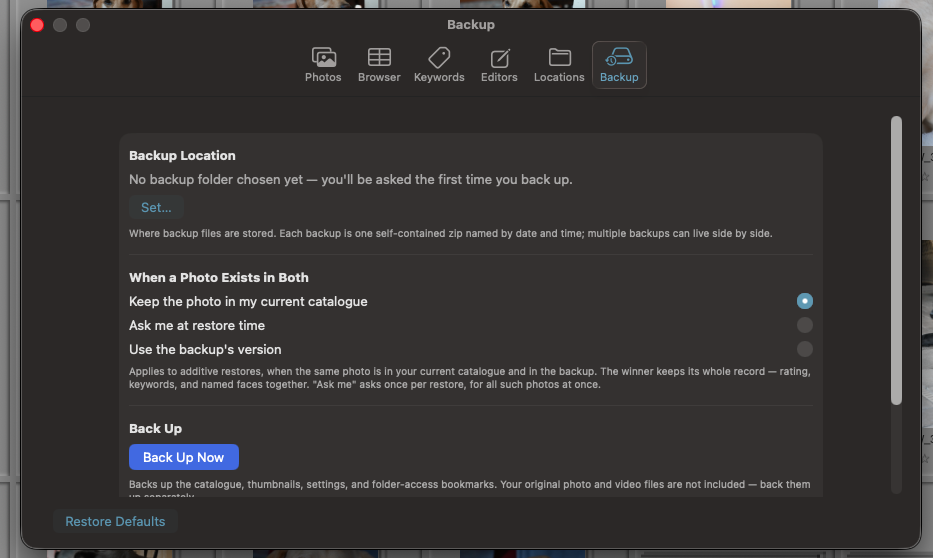
One-click backup of your entire catalogue — restore on any Mac
An honest, exportable log of every operation
An unplugged drive can never read as a mass deletion
Cloud files are never downloaded without your consent
Zero network entitlements — it can't phone home
Bring in everything
The editor is replaceable. Years of organization are not.
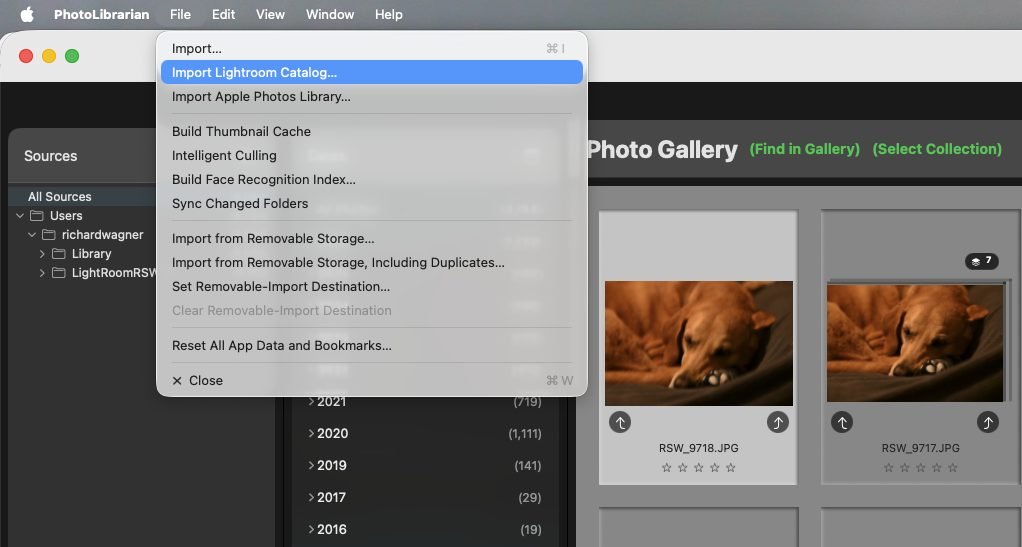
Star ratings, flags, color labels, thousands of keywords, collections built over a decade — that's the work worth protecting, wherever it lives today. Point PhotoLibrarian at whole drives and NAS folders and it catalogues them in place. Import an Apple Photos library — 44,838 assets catalogued in a real test, including 43,829 iCloud-only photos, without downloading a single original. Bring a Lightroom catalogue and every rating, flag, color label, keyword, collection, and video comes across — 150,075 photos in the real-world test, reconciled to zero discrepancy, with Lightroom's own previews lifted so your library is browsable in minutes, not hours.
Your files stay exactly where they are. Nothing is moved, converted, or re-organized unless you ask.
One menu. Every source: drives, folders, memory cards, Apple Photos, Lightroom.
It organizes itself
Keywords you never typed. People found by face. Bursts folded into stacks.
After every import, PhotoLibrarian goes to work on its own: it analyzes every photo on-device and writes its own keywords — scenes, subjects, dogs and cats — kept separate from yours, so any search can include or exclude the machine's tags. Face recognition builds a private index from cached thumbnails; name a person once and they become searchable everywhere, with adjustable match breadth. Bursts and near-identical shots collapse into tidy stacks whose ratings reach every hidden member. And through all of it, the analysis is advisory only — it never touches a rating, flag, or label. It suggests. You decide.
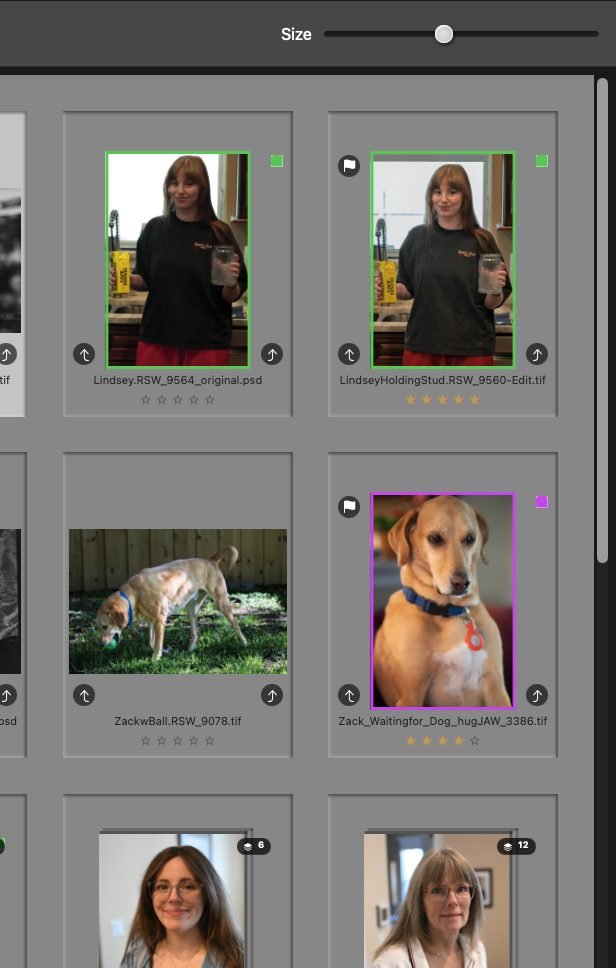
Your curation, front and center — one-key ratings, flags, and labels, in bulk or one at a time.
Find anything
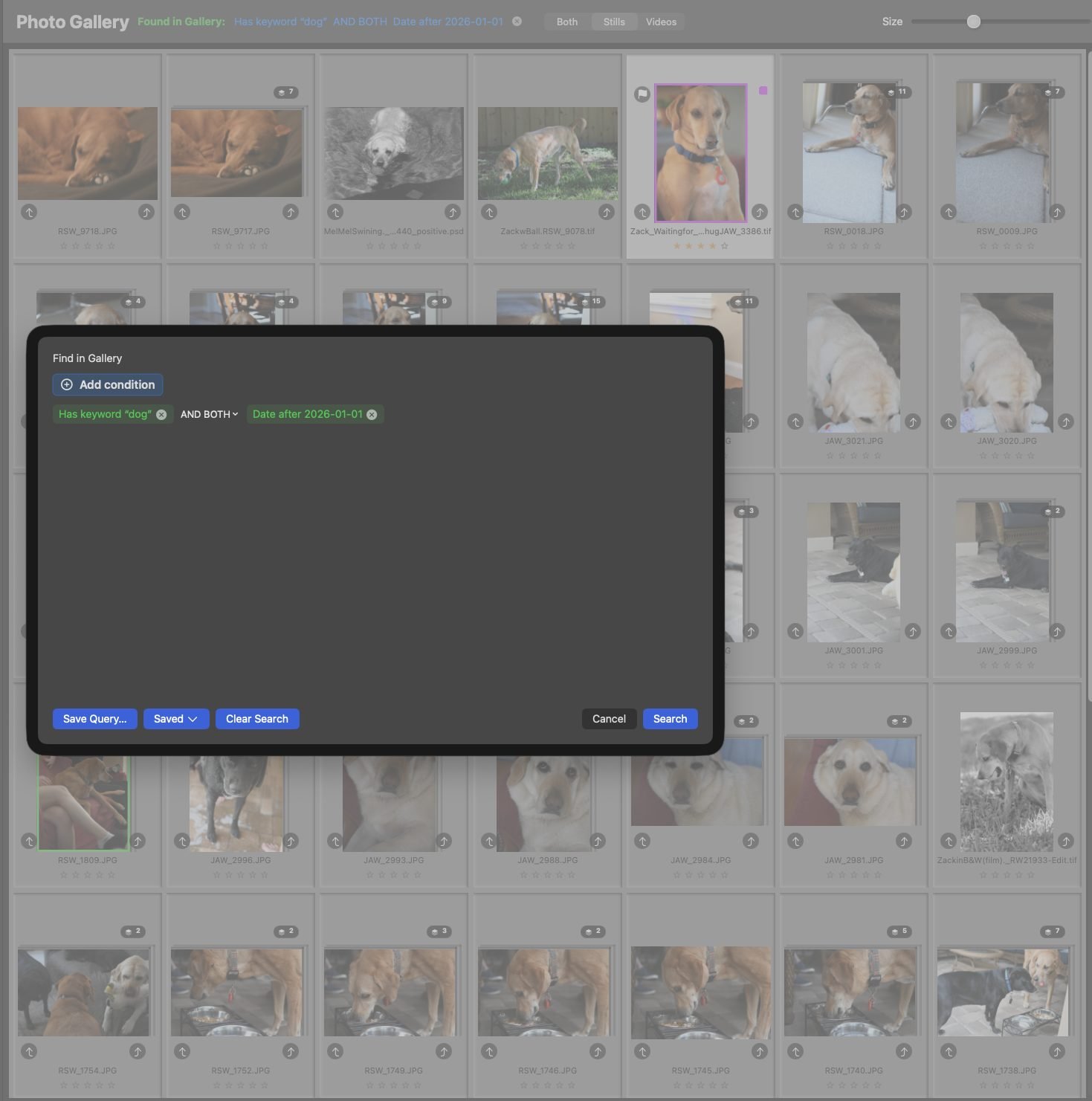
Ask a precise question. In plain English.
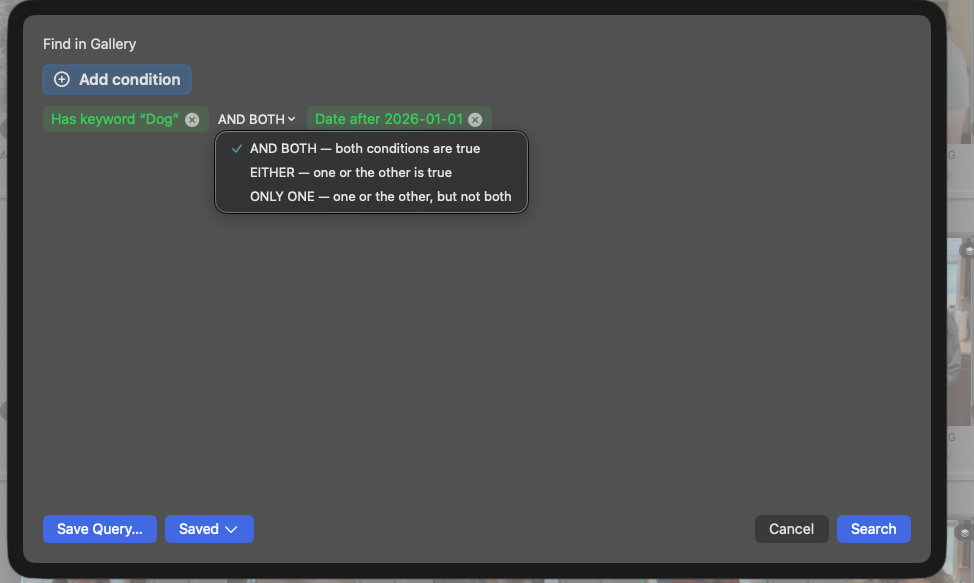
The query builder composes real searches as readable sentences — no syntax to learn. Filter by date, rating, flag, color label, keyword (searching “Animals” finds everything beneath it), file name, camera, lens, exposure, focus quality, face quality, people, even video codec — joined with AND, OR, or “one but not both.” Ask for “photos from the last three months” and the saved query stays correct on any future day. Save the searches you use; they become one-click views of your library.
Queries read the way you think — in plain language, with real logic.Save a search once — run it forever.
Copy your way
Make the copy you actually want. Never lose a photo on the way.
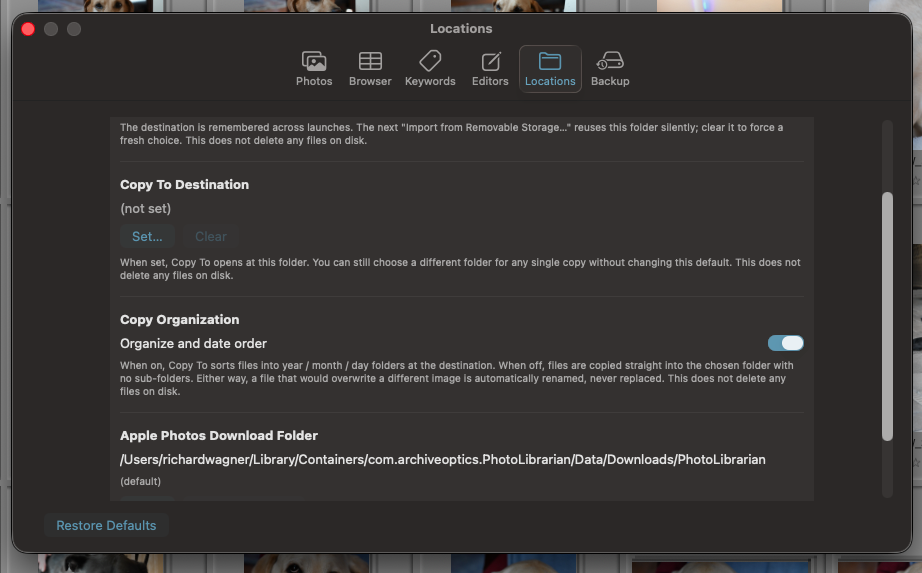
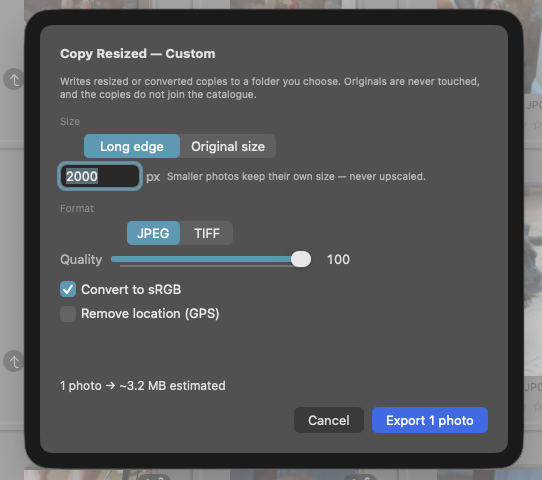
Consolidate your scattered collection into one clean destination with a year/month/day structure rebuilt from capture dates — or flat, your choice. De-duplicated on the way, or with every duplicate deliberately kept — also your choice. Full resolution or resized for sharing; JPEG, TIFF, or true linear DNG from your RAW files; a drive, a NAS, or a single terabyte-tested zip. In our timing runs, large copies complete faster than rsync moving the same files. And every operation is copy-only: collisions get version names, and nothing existing is ever overwritten or deleted.
One clean, date-organized copy of everything — built from capture dates.Or resized on the way out — sharing-size JPEGs, archival TIFFs, true DNGs.
Edit in a pinch
When a photo needs a touch-up, the editor is already there.
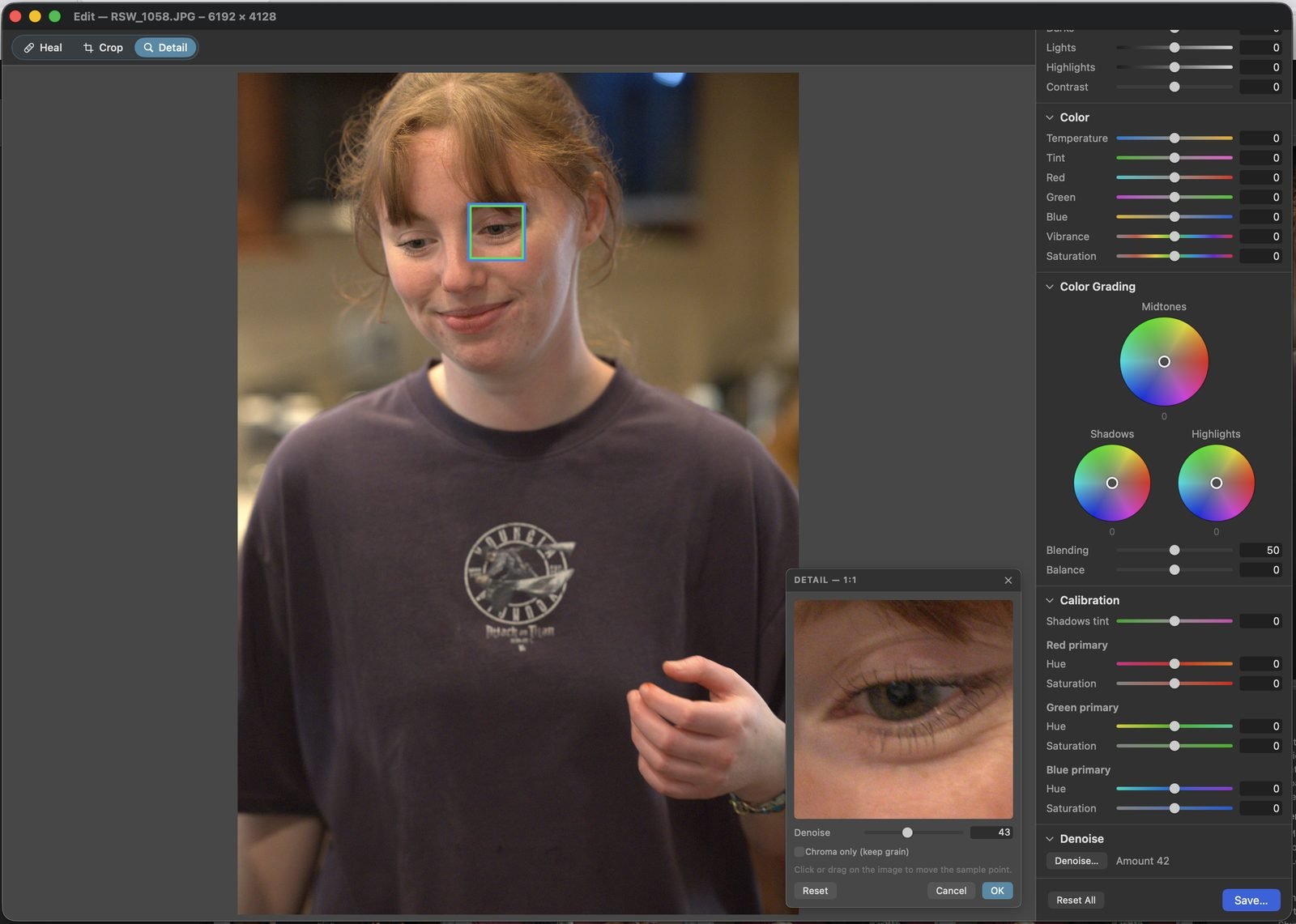
Healing brush, crop and straighten, tone, color, three-way grading wheels, calibration, and AI denoise you judge in a true 1:1 loupe — over a full 16-bit pipeline, including RAW. It's not trying to replace a dedicated editor; it's there so that most days, you never have to leave. Every edit is a non-destructive recipe, and saving writes a new photograph beside the untouched original — your library only ever gains photos.
The built-in editor: heal, crop, tone, color, grading, calibration, and denoise with a 1:1 loupe.
Protection
Built like your photographs matter. Because they do.
01
One-click backup
“Back Up Now” captures your entire catalogue — organization, keywords, people, stacks, settings — in a single portable file. Restore it whole, or merge it into another catalogue, on any Mac.
02
Honest to a fault
Every import, copy, and export keeps a durable log — including what was skipped and why. An unplugged drive can never read as a mass deletion. Removals only ever happen behind a confirmation that names the files.
03
Cloud-safe by design
Dropbox and iCloud placeholders are never silently downloaded — every download is consented, with byte counts and a free-disk check first. And the app itself has zero network entitlements: macOS forbids it from touching the internet.
Your years of curation, safe in one file.
Your originals remain originals.
PhotoLibrarian never modifies, moves, or deletes an existing image file. Not during import, not during editing, not during any copy or export. That is not a setting — it is how the application is built.
Under the hood
Engineered for scale, built to stay private.
PhotoLibrarian has been tested past a million photographs — and it adapts to the Mac it's running on. On a powerful machine it widens its parallel processing lanes to use everything the hardware offers; on an older Mac with less memory it senses the smaller machine and draws back, staying smooth instead of swamping it. The same app is instant on a Mac Studio and instant on a base M1. Whether your library is a few thousand photographs or a couple of million, this is built for you.
PlatformNative macOS, built exclusively for Apple Silicon (macOS 14.6 or later)
EngineRust core with an embedded DuckDB catalogue — and adaptive parallelism that scales to your hardware
FormatsRAW (NEF, CR2/CR3, ARW, RAF, DNG…), JPEG, HEIF/HEIC, TIFF, PSD, PNG — and video with full metadata
ScaleTested past a million photographs; copy speeds measured faster than rsync
AIFace recognition, automatic keywords, culling analysis, healing, and denoise — all on-device Core ML
PrivacyZero network entitlements, zero telemetry, zero accounts
Working with scanned film?
Negative Converter turns your negatives into finished photographs — then PhotoLibrarian keeps them organized.
 ArchiveOptics